

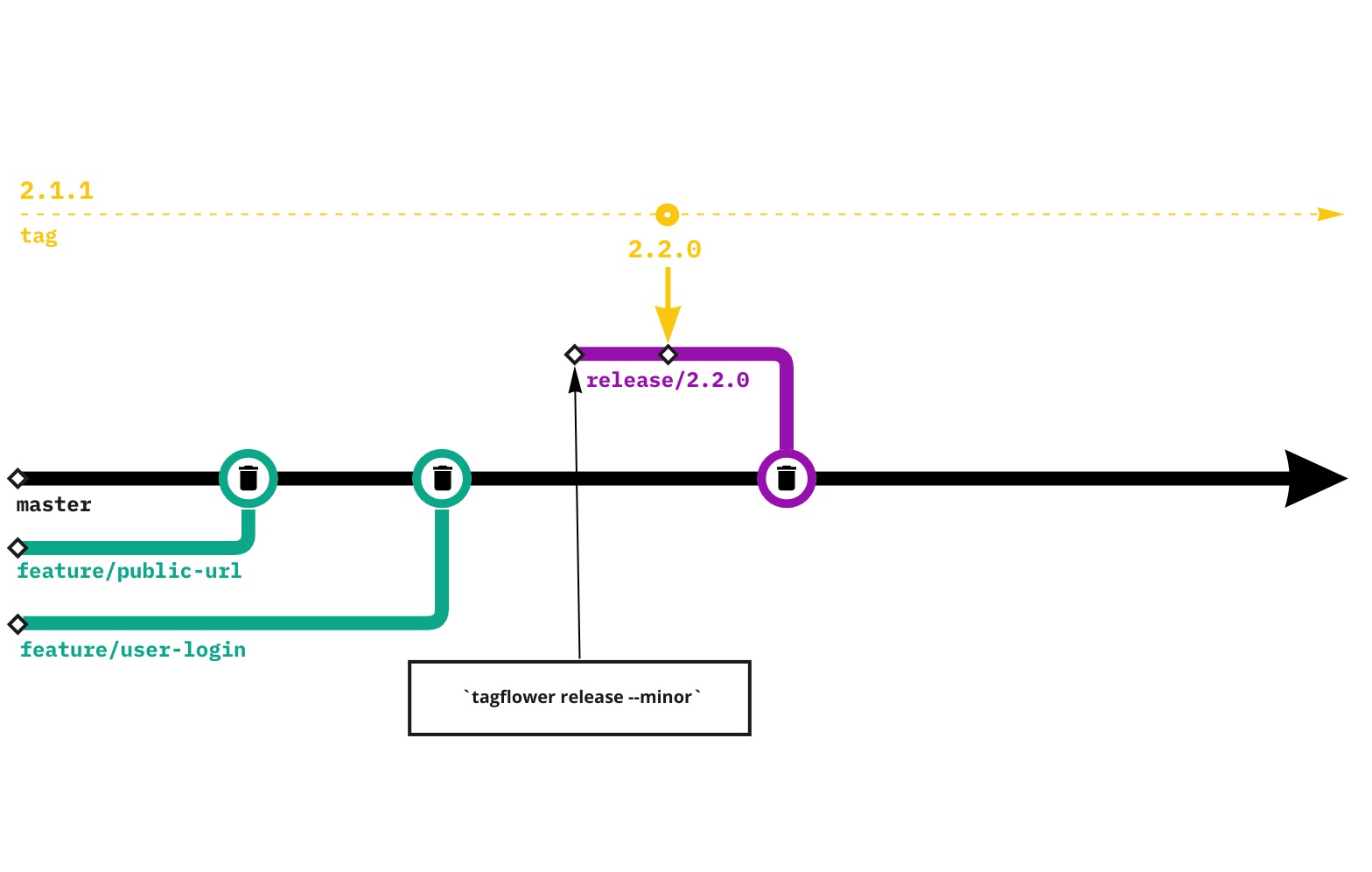
Release can only be done from master branch, your branch must be up to date. Running a tagflower release will create a new branch and merge reqeust following the naming convention. This MR will only have a single commit for updating the package.json with the new version. It is up to the person who is doing the release to clean this up by merging the release branch after the release and deleting it.
More on this is detailed below in the guide.
Releasing new version using release
Note: You will need to run these commands on your local machine.
Using release will release the version to Development automatically, you have to use the pipeline to release it to other Environemnts.
Parameters:
patch

for patch/build version incrementing
"most commonly used"

minor

for minor version update
"set of features, will be communicated by PM, eg 2.9.x version"

major

for major version updates
"not backwards compatabable eg. v3 of the software"
- Make sure you are on
masterbranch and have the latest code - Take a note at the parameters and run
tagflower releasewith said parameter- eg.
tagflower release patch
- eg.
- New
release/*branch will be created and desired version pushed toDevelopmentenvironment. - Visit the MR created in the Gitlab
- Mark it ready
- Merge and Delete source branch
- Take a note on the latest Pipeline created for the desired version
In case you desire to release version to a specific environment check environments docs.
Releasing new version using release:custom
- Make sure you are on
masterbranch and have the latest code - Take a note of desired custom version that macthes semver
- eg.
tagflower release:custome 1.7.23
- eg.
- New
release/*branch will be created and desired version pushed toDevelopmentenvironment. - Visit the MR created in the Gitlab
- Mark it ready
- Merge and Delete source branch
- Take a note on the latest Pipeline created for the desired version
In case you desire to release version to a specific environment check environments docs.
Releasing new version using release:hotfix
- Make sure you are on
hotfix.*/*branch and have the latest code - Run the hotfix command, version is automatically generated
- eg.
tagflower release:hotfix
- eg.
- Desired version will be created and will not be pushed to
Developmentenvironment. - Take a note on the latest Pipeline created for the desired version and release it manually to
Production.
In case you desire to release version to a specific environment check environments docs.