

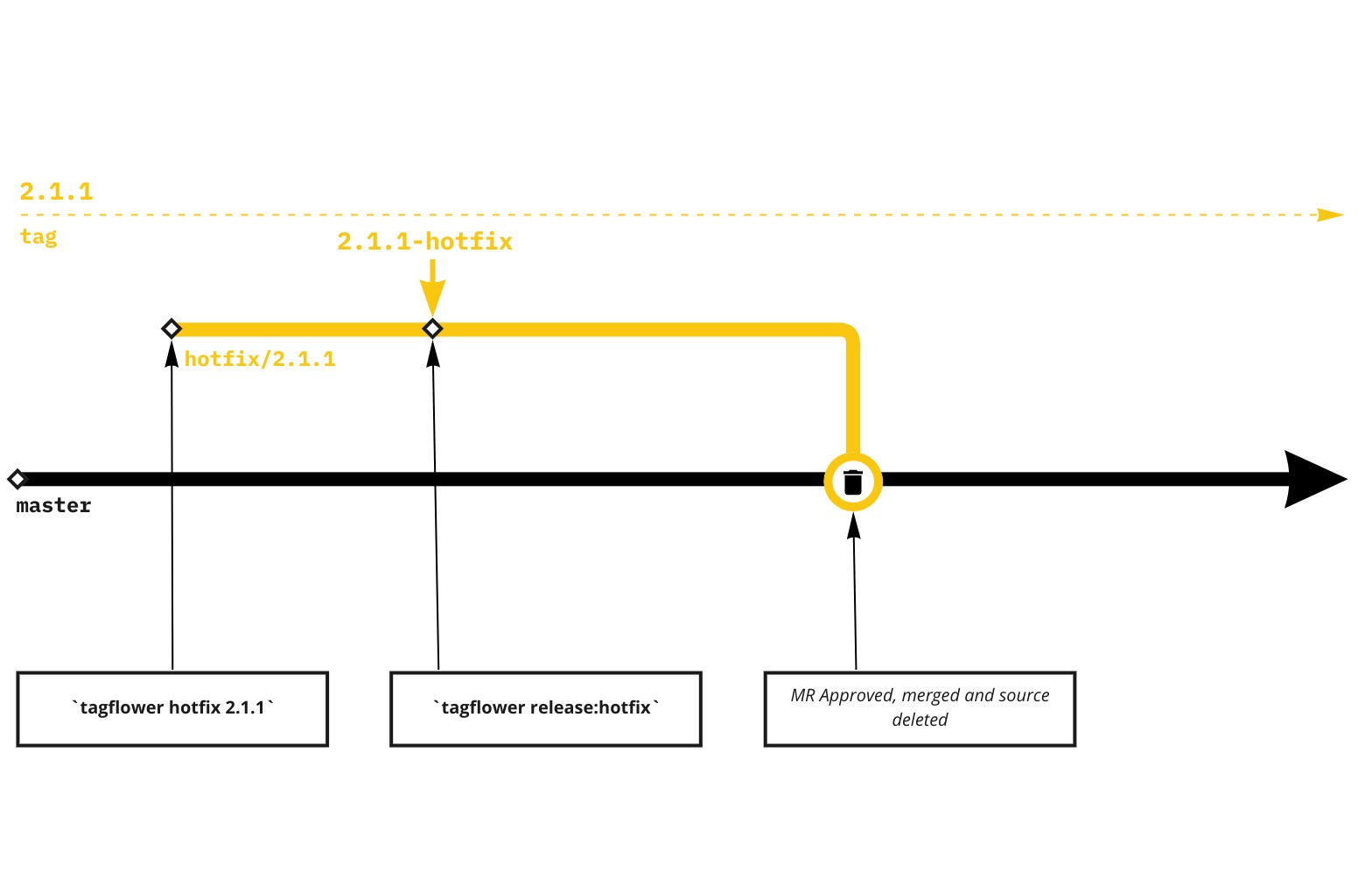
Hotfixes are created from a version, most likely a production version. They are used to quickly fix a production issue without impacting other versions and environments.
More on this is detailed below in the guide.
TagFlower
- Make sure your local repository is up to date.
- Run
tagflower hotfix ${desiredVersionToHotfix}egtagflower hotfix 1.1.1 - Work on the hotfix, commit and push the branch to remote
- Once you are ready to release the hotfix please refer to the release documentation under the
release:hotfix. - Once the release has been released merge the
hotfix.*/*branch to master- Idea is to merge it to the master after it has been deployed to production to prevent regresion
- NOTICE: DO not merge the
release/hotfixbranch to master, close it if it has been created.
Why we don’t merge release/hotfix branch to master?
Because we want only the changes to be merged and version tag to be untouched ( to not block or break the development cycle ).
Additional remarks
Hotfix branches will not be automatically deployed to development!
Please note that hotfix relasing is done using a different command. tagflower release:hotfix more info on this can be found in release documentation.